
BlueDuka user guide
A short guide for shop owners and staff. The same guide is in the app under Help & guide. Need help? Call or WhatsApp the BlueDuka team on +254 727 177 155 (Monday to Saturday, 8am to 8pm).
Download the whole guide (PDF)
Looking for advice on running your business (pricing, stock, cash flow, KRA)? See the business guides.
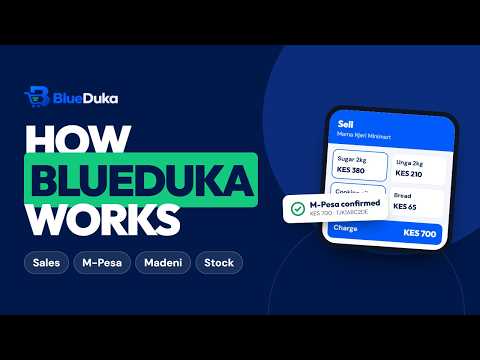
Plays from YouTube. Watch on YouTube
Topics
Getting started (owner)
Try it first: on the login page, Try a demo business, no sign-up opens a sample business filled with realistic records.
Selling
Overview for cashiers: a cashier's Overview shows only their own sales for today: how much they sold, money received by method, their best sellers.
Till shifts
Open till. BlueDuka shows the cash the last shift left in the drawer. Count it, then confirm it or enter what you found.
Customers and debts
Credit sales: sell on credit to a customer, with an optional credit limit. Customers & Debts shows who owes what. Payments.
Stock and purchases
From each product you can: receive deliveries; count stock; adjust stock, with a reason. Selling in parts (e.g. a steel tube by the half).
Online shop (Starter plan and above)
Online Shop Shop page & link (owner): switch on "Taking online orders", choose collection, delivery (with a fee and the areas you cover) and whether.
Staff time and pay (Business plan and above)
Time & Pay My time: everyone taps Clock in when they start and Clock out when they leave, and sees their own hours and payslips.
Credit score and certified reports (owner)
Credit Score (owner only, every plan) shows a score from 300 to 850 worked out from the last 6 months of your records.
Accounting books (Business plan and above)
Accounting (Operations) keeps double-entry books by itself. Every sale, payment, customer return, expense, delivery, supplier bill and payment.
M-Pesa and other connections (owner)
Until M-Pesa is connected, the app says so at the checkout with a How to set it up button that opens these same steps.
Installing BlueDuka and working offline
Android: download it from blueduka.co.ke/download (BlueDuka is not on Google Play). Allow your browser to install unknown apps when the phone asks.
Restaurants and cafés
A business set up as Restaurant or café opens on Tables and has its own plans: Café (KES 1,499 a month), Restaurant (KES 2,999) and Restaurant Pro.
Creative studios (design, web, social media, branding)
Graphic designers, web designers, social media marketers, branding studios, photographers and writers run on projects, not stock.
Running a bigger business
Business health (Reports Business health; owners and finance): revenue, gross profit, operating and net profit, margin and expenses against the.
Quick start by type of business
Every business starts with section 1 (settings, products, staff). These are the extra steps that matter for each kind of shop.
Setting up the ERP, step by step
For companies on General business ERP (ERP Starter, Business or Enterprise). Work through it in this order; most companies are running within two.
Wholesale, distribution and manufacturing
Wholesale and distribution (the Distribution desk) Add warehouses (Warehouses) and record opening stock in each.
Finance and procurement controls (ERP)
Finance and procurement work as one system: every sale, delivery, bill, payment, expense and pay run already posts to the books, so finance never.
Quality control (manufacturing and ERP)
Quality control covers everything from raw materials arriving to finished goods going out. Open Quality control.
Privacy and safety
Staff only see the shops and branches they were given, and only do what their role allows. Only the owner and managers switch branches, change the.