
POS system for Kenyan shops and businesses
BlueDuka brings checkout, stock, customer credit and business reports together. It is built for Kenyan payment and shop workflows, with a web app and a Windows till that can keep working offline.
What to look for in a POS in Kenya
- M-Pesa that confirms payments from your own till or paybill, so fake messages don't pass
- An online shop link customers order and pay from
- Customer debts with limits, statements and reminders
- Stock that matches the shelf, per branch
- Till shifts that show whether the cash is right
- Selling, the till, stock and purchases without internet, uploading later (Android and Windows apps)
- Prices in shillings, paid by M-Pesa, with a free plan (see plans)
BlueDuka supports these workflows on Android phones, iPhones, in the browser and on Windows computers. M-Pesa connection and other paid features depend on your plan and setup; review current plans and the full feature list.
Who uses it
Retail shops and dukas, wholesalers and distributors, supermarkets and minimarts, hardware stores, pharmacies and agrovets, wines and spirits, butcheries, boutiques, phone and electronics shops and salons. Just starting? See what is free. Comparing systems? Read how to choose the best POS in Kenya. Prefer Swahili? Soma kwa Kiswahili.
See how the system works
Watch the BlueDuka overview, then test the workflows that matter to your business using your own products and team.
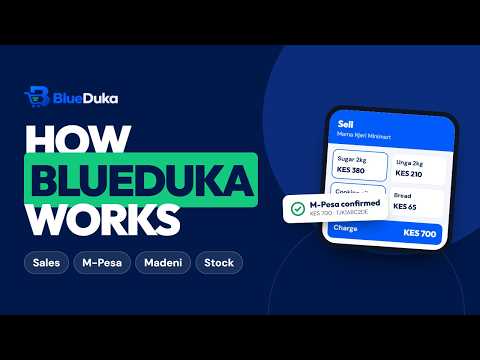
Plays from YouTube. Watch on YouTube
Already chosen BlueDuka? Connect your M-Pesa till or paybill and read the user guide. Who makes BlueDuka.
Start using BlueDuka Explore features
Questions
What is BlueDuka?
BlueDuka is point of sale (POS), debt tracking, online shop and bookkeeping software for businesses in Kenya: retail shops, wholesalers, distributors, supermarkets, hardware, agrovets, pharmacies, boutiques and any other business that sells products, plus restaurants, cafés and takeaways, manufacturers, companies that need a full ERP, and creative studios. It records sales, stock, customer debts, expenses and suppliers, and works on Android phones, iPhones, in the browser and on Windows computers, even without internet.
Does BlueDuka work for restaurants and cafés?
Yes. Restaurants, cafés, bars and takeaways get their own screens: tables and waiters, kitchen tickets and a kitchen screen, waiters told when food is ready, split bills, recipes, a QR menu and a self-service kiosk with M-Pesa. Restaurant Pro also runs hotels, lodges and guest houses: rooms, housekeeping, events and halls, online room booking with an M-Pesa deposit and calendar sync with Airbnb and Booking.com. Restaurant plans are Café KES 1,499, Restaurant KES 2,999 and Restaurant Pro KES 5,999 a month, after a free month. One login can run a shop and a restaurant side by side, each with its own plan, staff and records.
Does BlueDuka have an ERP?
Yes. The General business ERP covers finance and accounting, procurement, inventory and warehouses, invoices and customer accounts, HR and payroll with statutory rules, CRM, assets, budgets, approvals and a headquarters view of every branch. Manufacturers also get bills of materials, work orders, quality control and production costing. ERP plans are KES 4,999, 9,999 and 19,999 a month after a month free.
Can I start with just a POS and grow later?
Yes. Start as a simple POS, switch on extras such as loyalty, the online shop, CRM, delivery or budgets when you need them, and move up to Wholesale or the full ERP later. Products, stock, sales, customers, books and staff all stay; only the screens and the plan change.
Does BlueDuka work for graphic designers, web designers and marketers?
Yes. Creative studios (graphic design, web design, social media marketing, branding, photography and video, content writing) can create an invoice for a service such as logo design without first creating a project. They also get projects with stages and deadlines, quotes and invoices with deposits, monthly retainers invoiced by themselves, and a private link where each client follows the project, approves the work or asks for changes. One plan with everything: KES 500 a month after 14 days free.
Who makes BlueDuka?
BlueDuka is built and run in Kenya by the BlueDuka team. It is its own product, with its own app at blueduka.co.ke/app/ and its own API. It is not a directory or marketplace of other POS systems. Help: call or WhatsApp +254 727 177 155.
How do I get BlueDuka API keys?
API keys are part of BlueDuka's Premium plan. The business owner opens the BlueDuka app, goes to Integrations, then API keys, and creates a key with only the scopes it needs (read, sales, customers, products or stock). The key is shown once and only ever sees that business's own data. The full developer guide is at blueduka.co.ke/developers/.
Is BlueDuka only for small shops?
No. It is built for any business that sells: a single duka, a supermarket, a wholesaler that sells on account, or a distributor with several branches or warehouses. Plans grow from one person to unlimited staff and branches, with stock transfers, invoices with due dates, customer credit limits and reports for every branch.
Does BlueDuka work with M-Pesa?
Yes. Connect your own till or paybill and payments are confirmed by themselves: the cashier picks the payment from the till, types the code, or sends an M-Pesa PIN prompt to the customer's phone. A code can only be used once, and money goes straight to your account.
What do I need to connect M-Pesa?
A Business Till (Buy Goods) or Paybill from Safaricom (Pochi la Biashara and personal numbers can't be connected), a free Safaricom Daraja account, and BlueDuka's Business plan. On Daraja you go live with your till or paybill and get a Consumer Key, Consumer Secret and Passkey, which you paste into BlueDuka's Integrations page. The full guide is at blueduka.co.ke/mpesa-setup/.
Can I take M-Pesa before my till is connected?
Yes. The customer pays your till or paybill as usual; you check the money arrived, choose M-Pesa at the checkout and type the code from the message. BlueDuka won't accept the same code twice. Once your till is connected, payments appear at the checkout by themselves.
How long does it take to connect M-Pesa?
Getting a business till or paybill from Safaricom often takes one to three weeks, and Safaricom's Daraja approval a few days. Connecting the keys in BlueDuka takes a few minutes. You can sell on BlueDuka meanwhile.
Can a customer pay part in cash and part by M-Pesa?
Yes. Choose Cash + M-Pesa at the checkout: for a KES 4,500 bill the customer can give KES 4,000 in cash and pay KES 500 by M-Pesa. BlueDuka works out the change on the cash, sends the M-Pesa prompt for the rest, and the receipt shows both payments.
Can I send receipts on WhatsApp?
Yes. On a phone, type the customer's number and tap Send: WhatsApp opens on their chat with the receipt message ready, without saving their number first. You can also send it as a picture, or by SMS.
Does it work without internet?
Yes. The Android app, the Windows app and BlueDuka added to an iPhone's Home Screen keep selling without internet (cash, M-Pesa codes and credit), take returns, open and close the till, receive stock and supplier deliveries, add products, and record debt payments, expenses and clock-ins. Everything uploads by itself when the connection is back. A plain browser tab needs internet.
Is there a BlueDuka app for Android and iPhone?
Yes. Download the Android app from blueduka.co.ke/download (it is not on Google Play). On an iPhone or iPad, open blueduka.co.ke/app in Safari and tap Share, then Add to Home Screen: it opens like an app and works offline. There is also a Windows app for the shop computer.
Can I track customer debts?
Yes. Sell on credit with a credit limit, see who owes what and for how long, record payments, and remind customers on WhatsApp or SMS. M-Pesa payments from a customer's own number are applied to their debt automatically.
Can I connect BlueDuka to my own website or system?
Yes, on the Premium plan. The owner makes API keys limited to what each system needs (reading, sales, customers, products or stock), and adds signed webhooks. A key belongs to one business and only ever sees that business's data. The guide is at blueduka.co.ke/developers/.
Does BlueDuka work with KRA eTIMS?
Yes, as an optional integration on the Business plan and above; BlueDuka works fully without it. If your business needs eTIMS, connect your own KRA OSCU registration and every sale is sent to KRA by itself. BlueDuka is not a KRA-certified eTIMS integrator: KRA approves your registration. The guide is at blueduka.co.ke/kra-etims/.
Can I control what my staff can do?
Yes. Each person gets a role (cashier, manager, stock controller...) and you can switch single permissions on or off. Staff only see the branches you give them, cashiers close their till blind and every shift is checked against the expected cash.
How much does BlueDuka cost?
There is a free plan to try it: just you (no staff), 5 products and 10 sales in total (they don't start again each month). Paid plans are KES 799, 1,999, 4,999 and 14,999 a month, paid by M-Pesa; pay for a year and get 2 months free. Every new shop gets all features free for a month, with no card needed.
Do you train my staff?
Yes, for free. BlueDuka trains owners, managers, cashiers, waiters and kitchen staff on how to use the system, helps set up products or the menu, receipt printers and barcode scanning, and trains new staff when they join. Book it by call or WhatsApp on +254 727 177 155.
Can I manage several branches?
Yes. Business and higher plans support several branches, with stock per branch, transfers between branches and reports for each branch or all of them.
Can customers order from my shop online?
Yes. Starter and higher plans give your business its own link to share on WhatsApp, Facebook or TikTok, with your products, prices and stock. Customers order for collection or delivery and can pay by M-Pesa; the order arrives in BlueDuka with the payment.
Does it track expiry dates?
Yes. Turn on expiry dates for food, drinks, medicine or cosmetics: each delivery records its batch and expiry date, the batch that expires first sells first, and BlueDuka warns you before stock expires with a suggested clearance discount.
Can I bring my customers and their debts from Excel?
Yes. Import customers from an Excel or CSV file with their phone, credit limit and what each one already owes. The balances show in Customers & Debts and are paid off like any debt, without counting as sales.
Can I order from suppliers in BlueDuka?
Yes. BlueDuka shows what to reorder, grouped by supplier, and sends the purchase order on WhatsApp or email. The supplier confirms a delivery date from the link, and you receive the goods into stock when they arrive.
Can it handle staff attendance and pay?
Yes. Staff clock in and out, and the Business plan works out a monthly pay sheet with salary or daily pay, commission on sales, advances and till shortages, with payslips. Statutory deductions stay with your accountant.